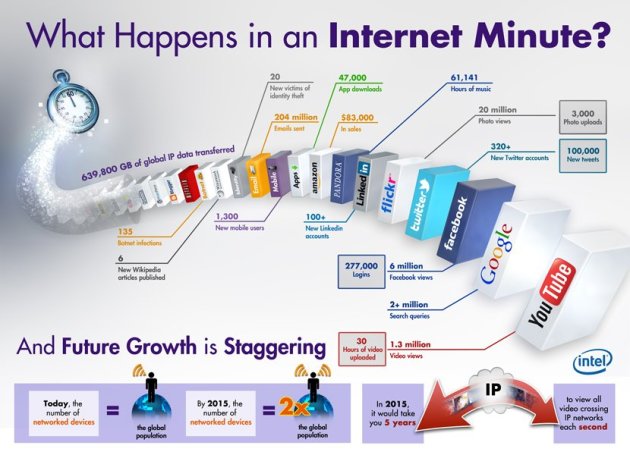
Things that Happen in an Internet Minute…
March 30, 2012 Leave a comment
Words & Stuff. Mostly about Technology…
March 4, 2012 Leave a comment
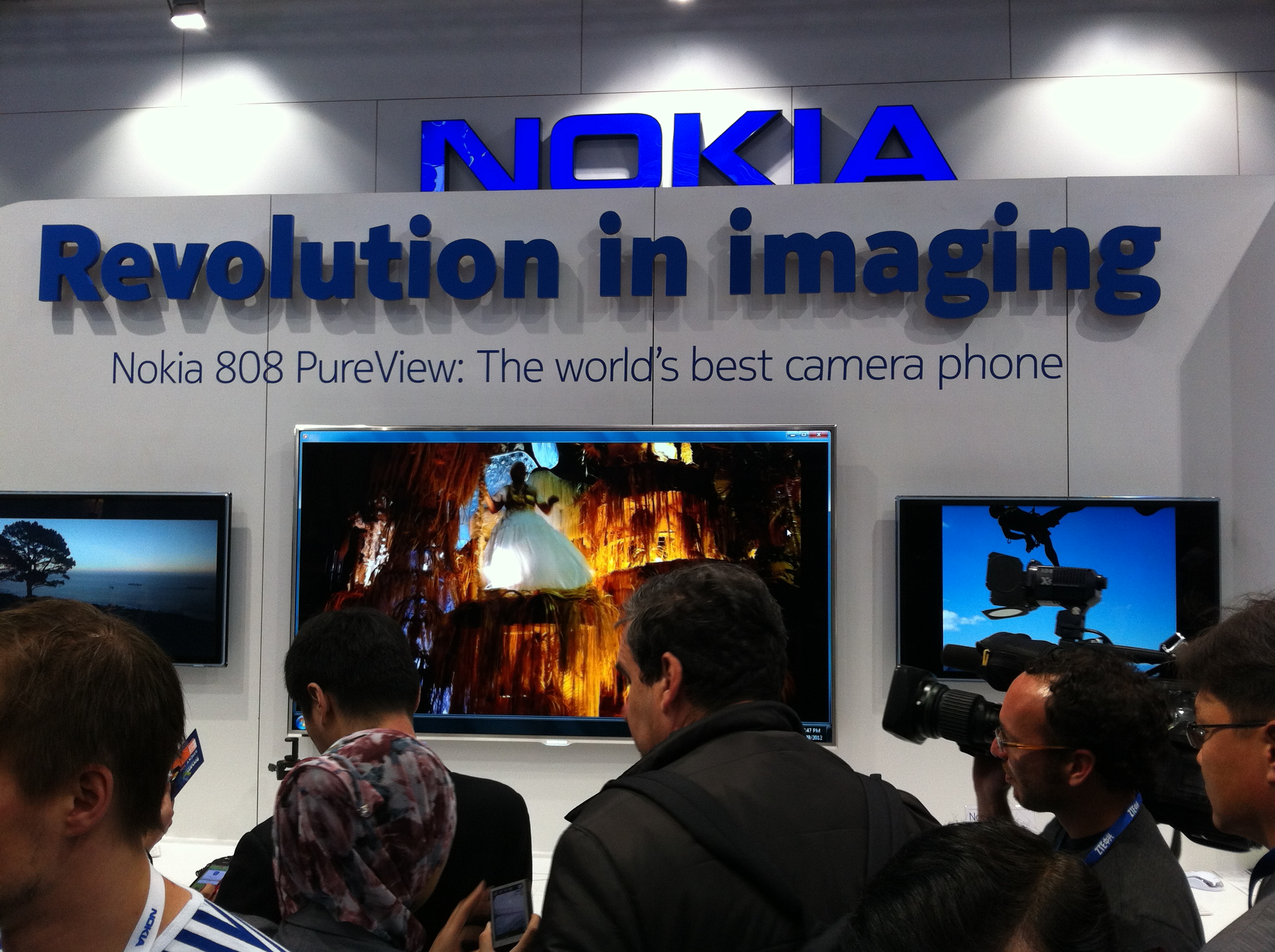
Symbian may be dying, but Nokia it is not. By now you’ve probably heard about their 38-megapixel camera phone, which was announced last week at the Mobile World Congress show. The Symbian-based Nokia 808 PureView has a Carl Zeiss 41-megapixel sensor and takes photos which have more resolution than some high-end consumer DSLRs. I know this sounds like a gimmick, but seeing is believing. Full resolution photo samples can be viewed here. Just make sure to right-click on the photo sample and select original size.
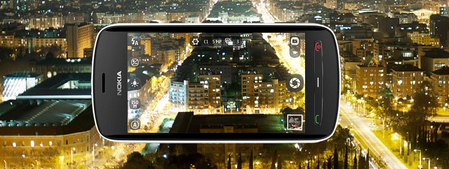
What you already know: The 808 PureView has an f2.4 aperture lens and takes great looking 38MP photos. The reason the photos look so good is the use of a 41-megapixel sensor and Carl Zeiss optics along with Nokia’s brand-new pixel oversampling technology. They claim the camera has a large sensor which captures up to five times as much light as a conventional camera. It’s also one of the only camera phones with a xenon flash. Its video camera shoots full HD 1080p footage at 30 frames per second with a 4X lossless zoom. Just how good is it for video? See it in action here:
The camera is supposed to launch in the second quarter and uses a pixel over-sampling technology is supposed to ensure no loss of detail when zooming in on images. Apparently Nokia uses a technology called pixel-binning which reduces noise makes this possible. The demos shown of the show floor were truly impressive. The person I was talking to took a picture of her jeans and then tapped on the screen to zoom in to the point you could see individual fibers. You can also slide your finger on the screen to zoom. Photos taken by the phone are 7728×5368 pixels. 16:9 photos are 34MP, not 38MP and occupy 9 to 16MB of space. Although the 808 PureView only has 16GB of internal memory, it supports MicroSD cards up to 48GB. Although there hasn’t been much talk about the speed of the phone, I was told it can focus and take a photo in less than one second. Basic specs can be found here. Technical details can be found here.

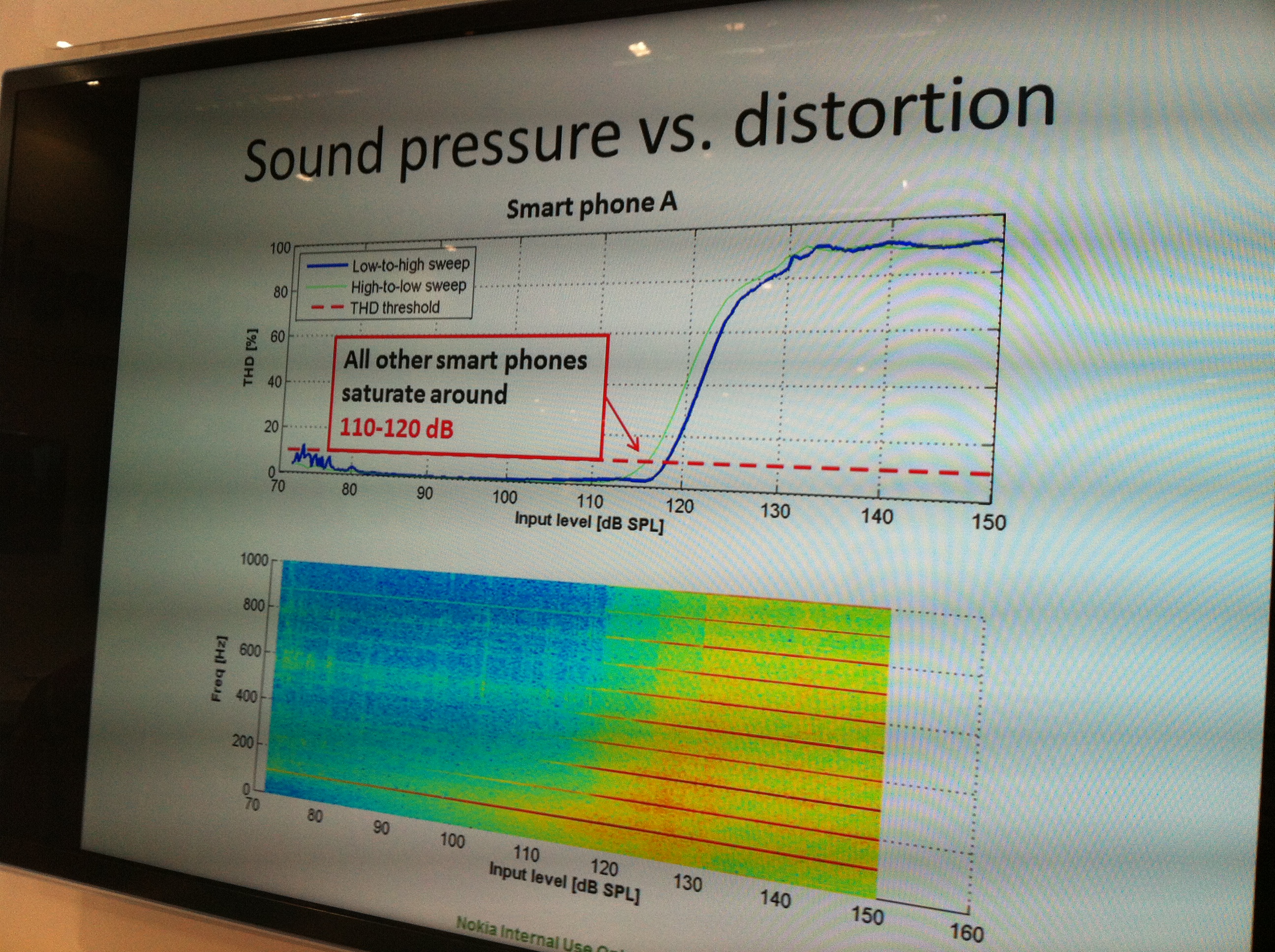
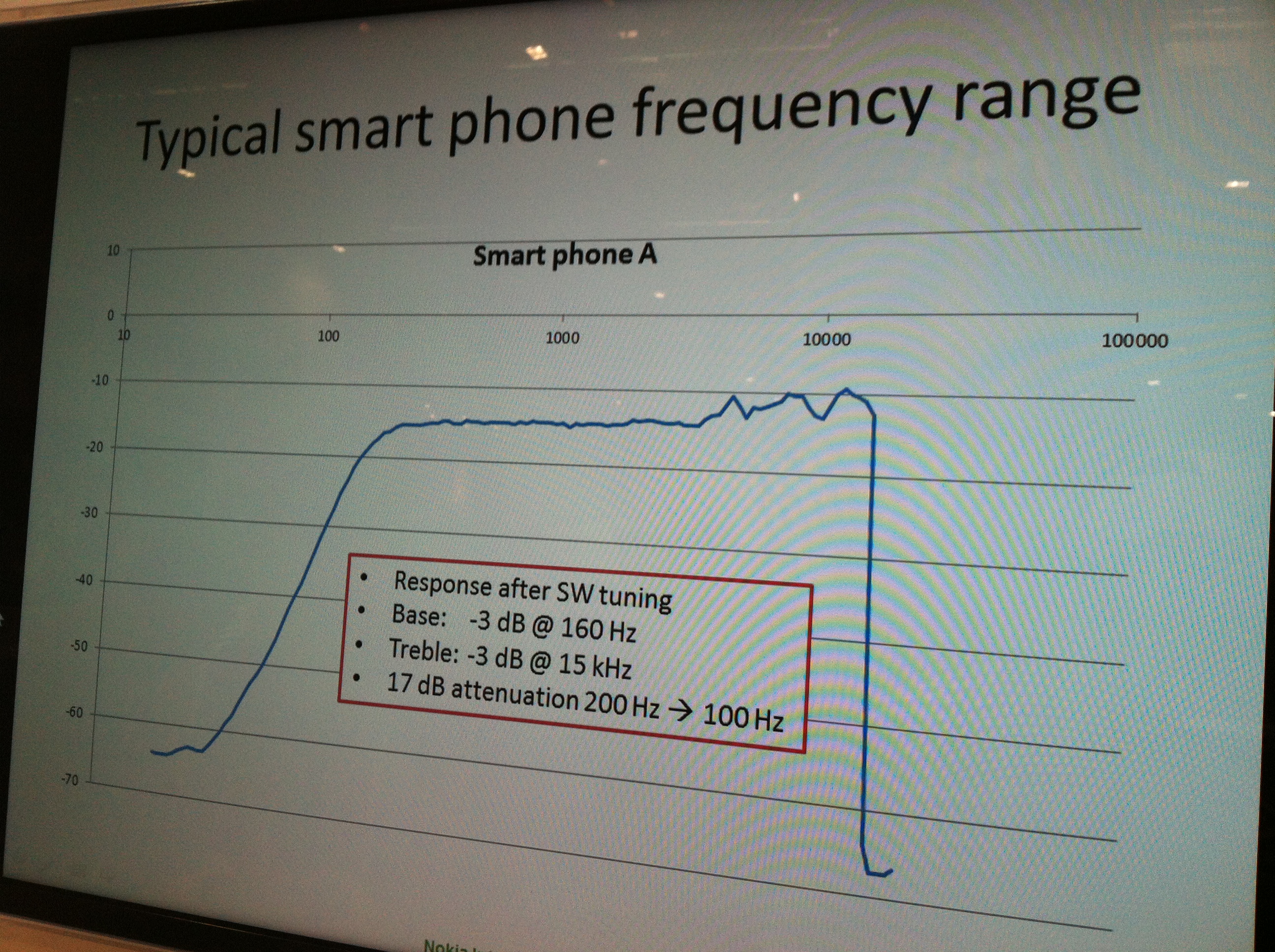
I spoke at length with Nokia’s Senior Manager for Audio Hardware and got some juicy details you won’t find anywhere else on the Internet. Anyone who has ever tried to record a live concert with an iPhone knows you cannot do it without using expensive third-party mics. This video compares recordings of a live band made on the iPhone 4S, Samsung Galaxy S II and Nokia 808. Both the iPhone 4S and Galaxy S II distort horribly. They also both roll-off most of the low frequencies causing the bass guitar to almost disappear. According to Nokia, this roll-off begins at 200Hz, and is very sharp. See the chart below for proof of this. Nokia’s PureView technology records audio down to 25Hz. Why is Nokia’s recording so much better than other smartphones? Most smartphones have a single mic which is optimized for voice. Nokia uses two good omnidirectional mics, so it’s capable of recording stereo music. But that’s not why it sounds so much better than the others. Their audio hardware has been designed so it’s capable of recording audio up to 147dB without audible distortion. The frequency response of their new audio hardware is also relatively flat. Down 3dB at 40Hz and 20kHz. There is currently a nasty 8-10dB peak around 8kHz, but Nokia says they will tune that out before the 808 PureView ships. There are only two issues I see with Nokia’s Rich Recording technology. The first is the fact that it operates at a very low-level and is not part of the 808’s camera app. This could make it hard to port to non-Symbian phones. Second, their recording app encodes all audio as AAC Plus files, instead of linear audio files. However their audio expert claims that sound APIs are available which could make linear audio recordings possible in the future.
I was able to obtain photos of two internal Nokia charts which you won’t find anywhere else. The first shows how typical smartphones start to distort around the sound levels experienced at concerts.
The second chart shows how the iPhone 4S has almost 20dB of attenuation at low frequencies. Sorry for the low-quality, but these were taken quickly from an iPhone 4 under less than ideal conditions.
It’s rare that a company comes out with a product that leapfrogs its competitors as much as the PureView 808 has. However, this shouldn’t be a total surprise to those who have been following Nokia for some time. Nokia came out with it’s first camera phone back in 2002. Followed by an 8MP camera phone in 2009, and the world’s first 12MP camera phone in 2010. The PureView 808 may be years ahead of what Apple is doing in terms of audio, video and photo quality, but it’s unclear to me who will pay $200-$500 for a Symbian-based phone in 2012. This will get interesting however when Nokia releases this technology on the Windows platform. But, because this is so closely tied with Symbian, that could take longer than expected.
Nokia also announced a new fast browser or some of its lower-end phones which is supposed to be capable of compressing data traffic up to 90%
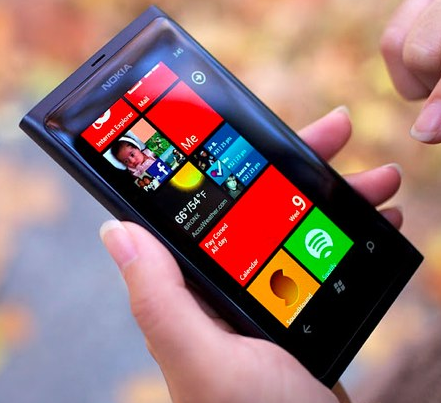
Nokia was also showing a free new streaming music app for Windows Phones called Nokia Music. Like Pandora, it creates stations based on artist searches. Unlike Pandora, it can store up to four stations so they are available offline listening. Stations are limited to 50 songs per track however.
Unfortunately their new Lumia 800 phones which come with this app use Microsoft’s Zune app to sync music. Windows Phone Connector on Mac. Nokia also showed some new Play 360 speakers which uses Bluetooth to beam music from the phone. Just tap your Lumia 800/900 phone to connect, no pairing is required because the phones include NFC support.
– Rick
Copyright 2012 Rick Schwartz. All rights reserved. Linking to this article is encouraged.
February 27, 2012 Leave a comment
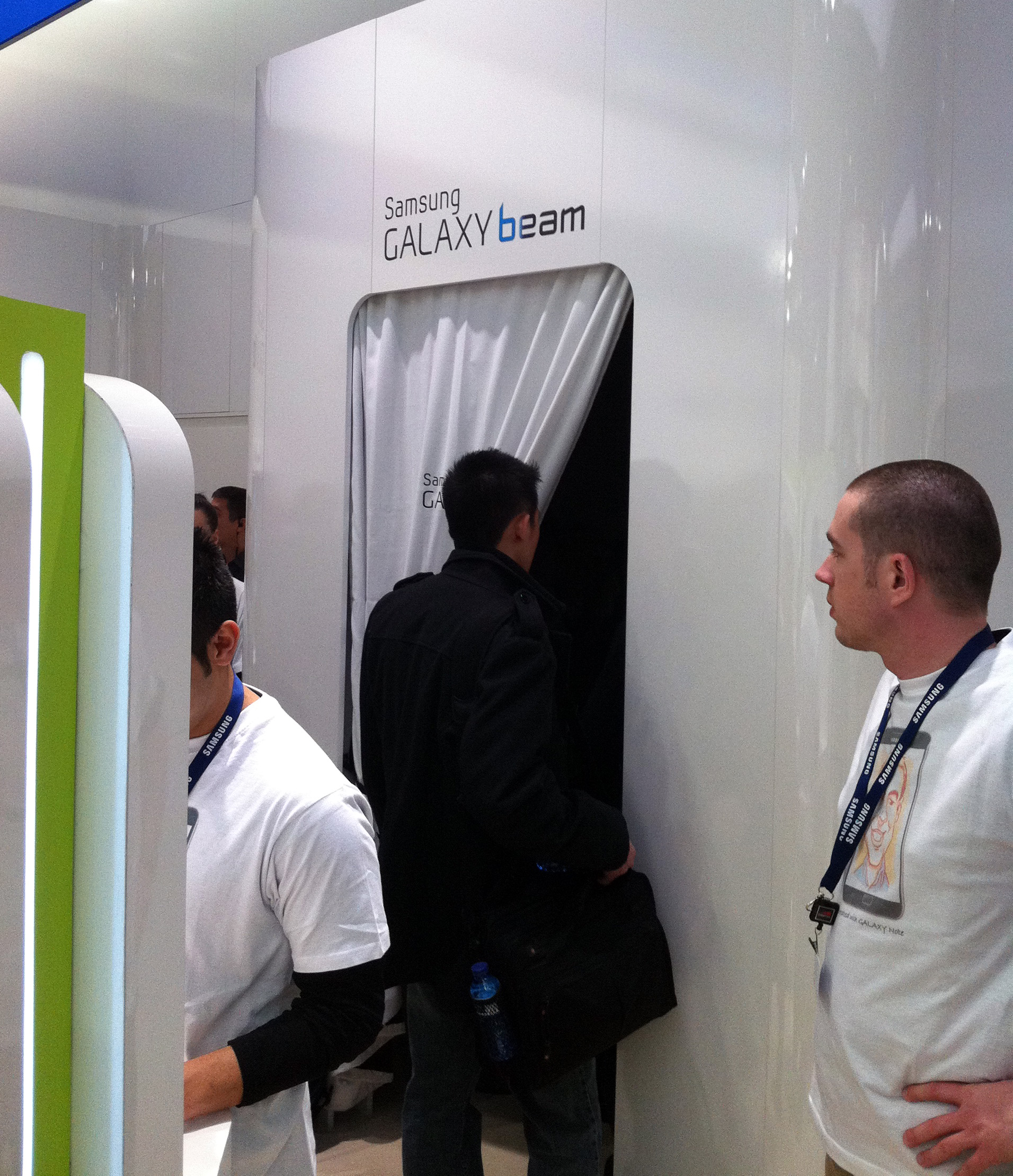
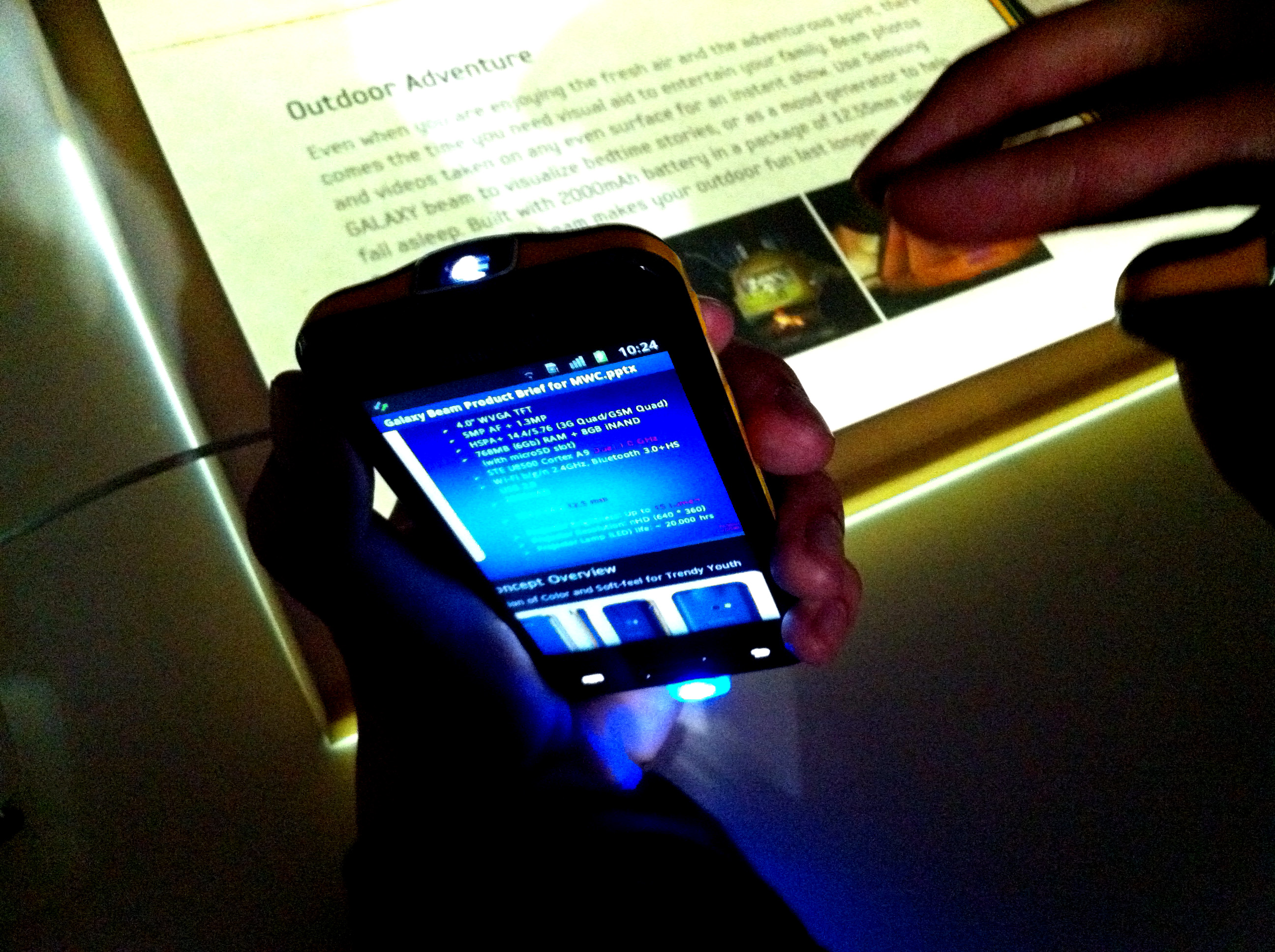
The biggest news so far at Mobile World Congress is hidden in a small room in the back of the Samsung booth. Samsung’s Galaxy Beam is a smartphone like no other. The phone has a built-in DLP projector, and puts out a surprising amount of light for its size (15 lumen). Pico projectors are nothing new; They’ve been demonstrated by Samsung and others since 2009, but this one is supposed to ship in the first half of this year.
The first big surprise at Mobile World Congress is from Samsung
The phone is only 12.55mm thick which makes it thinner than an HTC Rezound (and only 3.25mm thicker than an iPhone 4S). The projector project whatever is on your phone screen on the wall up to 50”.
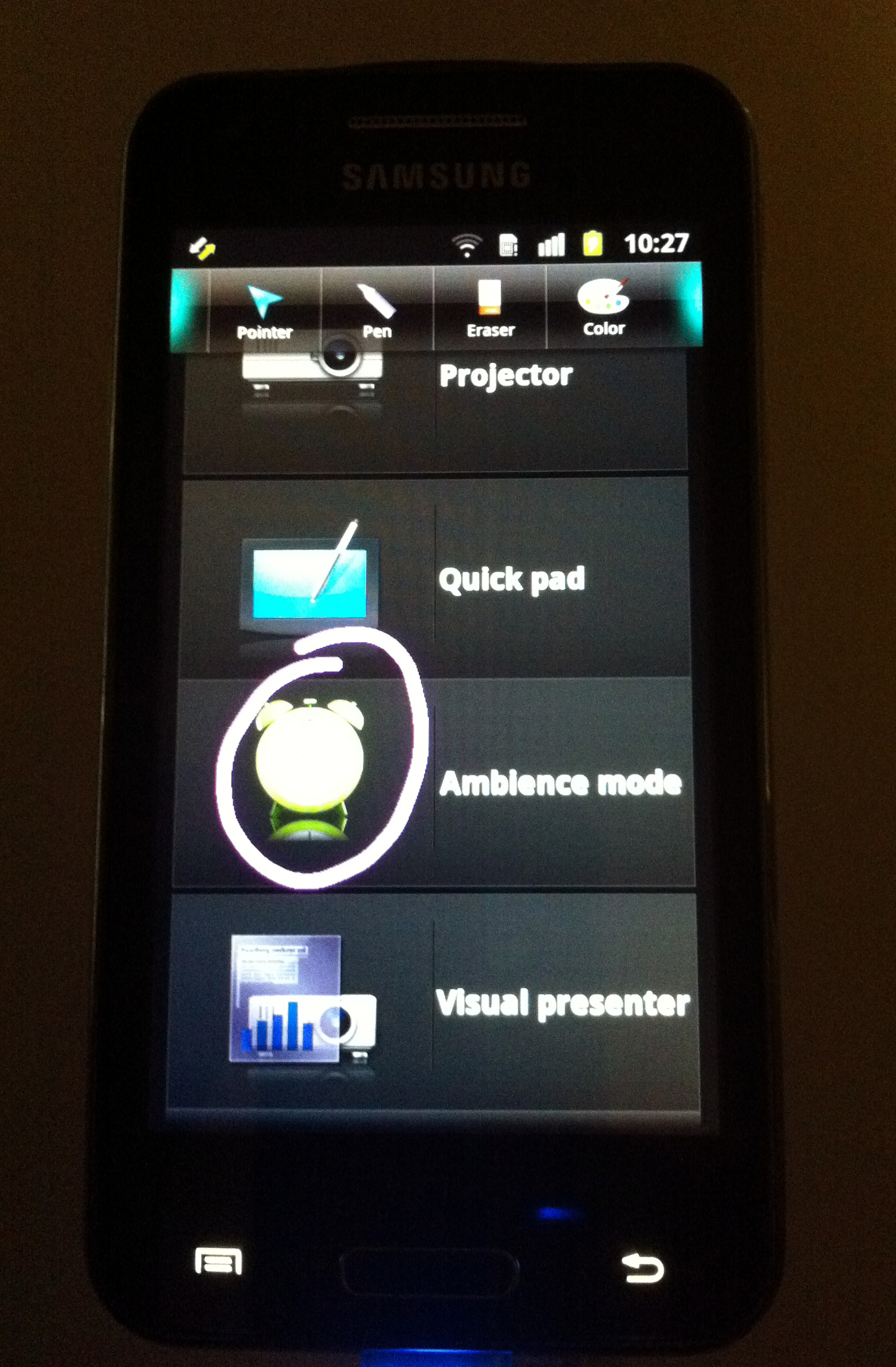
I saw it open a PowerPoint slideshow and project it on the wall. Once open, you can use your finger to draw on the slides. Very cool.
Although Samsung claims this device can play a full movie (up to 3 hours) with the built-in 2000 mAh battery. The device does gets pretty warm, so I’ll be curious to see if this is true.
A special app comes with the Galaxy Beam which lets you select what is displayed and draw on the screen. (See photo on the right)
I’ll write more about the other hot new products from Mobile World Congress later.

– Rick
Copyright 2012 Rick Schwartz. All rights reserved. Linking to this article is encouraged.
February 10, 2012 6 Comments
Last update: May 15, 2014

You can make a purchase without opening the Google Wallet app

You can use Google Wallet anywhere you see these images
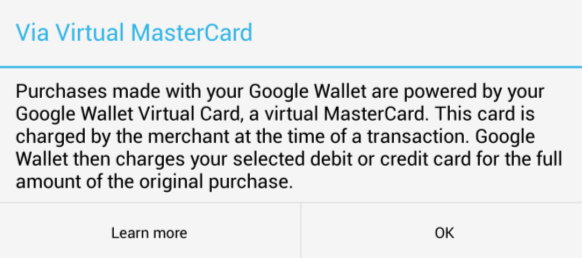
This explains how you can purchase things without an Internet connection
As mentioned earlier, the best way to protect your Google Wallet is to lock your screen. “Face Unlock,” “Pattern,” “PIN” and “Password” are all ways to do this. If you’re still worried, here are some more extreme steps to secure your Google Wallet:
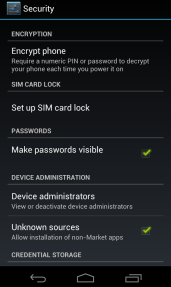
There are several easy ways you can secure your phone
If your phone is stolen and you have Google Wallet installed, Google recommends you call 855-492-5538, and ask them to disable your prepaid card.
NFC isn’t just good for financial transactions. Google Wallet also includes support for SingleTap, enabling users to redeem coupons and earn reward points. NFC can also be used to share contacts, photos and other files. If you’re running Android 4.0 today, you can Android Beam web pages, contacts, maps, YouTube videos and more, from one phone to another. Users of the popular Foursquare app can now bump phones and transfer places visited or lists. They can also check-in or initiate friend requests wherever NFC tags are. Imagine going to a venue and touching on a sign with an embedded NFC tag to check in. Pretty cool.
NFC isn’t just good for mobile payments, in the future NFC may even help you set up Wi-Fi connections, or enter multiplayer mobile games. There are so many things NFC is good for. I’m looking forward to using my phone to pay for mass transit. That way I won’t have to take out my wallet on a crowded train platform. You can even order business cards with an NFC chip into them, which will take the person you give them to a URL of your choosing. The main advantage to these is the fact that the URL can be changed without reprinting more business cards.
NFC isn’t limited to smartphones either. Next generation computers like the Sony Tap 20 and Duo 11, will include NFC support so you can beam data from your phone to computer, by simply touching them together. You can also purchase a Nexus 7 tablet for only $199 which has full support for NFC and Google Wallet. That’s one of the easiest ways to try Google Wallet at the moment, since carriers like Verizon are still trying to block it.
There are other mobile payment systems as well. One of the most promising is called Isis. Like Google Wallet, Isis lets you add your credit cards to your mobile wallet, but that’s not all. Isis is also supposed to let you add debit and loyalty cards to your mobile wallet, and provide access to personalized offers. That means after you use your phone to pay for a Starbucks coffee, you can tap again to get a discount or add the purchase to your Starbucks loyalty card. Isis is currently being tested in two U.S. cities, and coming soon to NFC-enabled phones from Verizon, AT&T and T-Mobile.
According to an article in Mobile Week, Isis has some distinct advantages because it’s setting up a system that can give financial institutions the reassurance that transactions conducted by smartphone will be secure. Isis has also lined up cards from Chase, Capital One, American Express and Barclays. Its transactions are supported by the Visa, MasterCard, American Express and Discover payment networks.
Isis isn’t the only new player. Retailers including Walmart, Target, Sears and others announced their own own payment system back in August called MCX. Since then they’ve gone dark however.

ISIS is conducting a mobile payment trail in two U.S. cities
October Updates
November Updates
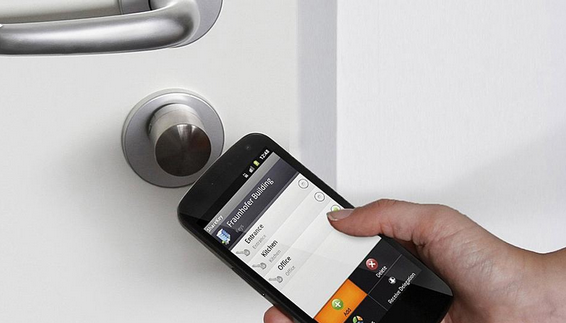
Soon you’ll be able to use your phone to unlock your door
Spring 2013 Updates
Summer Updates
Other Updates
– Rick
Copyright 2013-2014 Rick Schwartz. All rights reserved. Linking to this article is encouraged.
Follow me on Twitter @mostlytech1
February 6, 2012 42 Comments
Last update: November 28, 2013
This article has had over 90,000 views! Thanks for reading it.
Rooting your mobile device allows you to do things which are not possible on a normal smartphone or tablet. Carriers normally prevent access to root-level files, because you could delete essential files or cause others problems. Unfortunately this limits what you can do with your mobile devices. You bought it and you should have the right to do whatever you want with it. There are some compelling reasons why you should consider rooting your device.

Imagine sharing your phone's fast 4G connection with your tablet

Apps like Titanium Backup can backup everything on your phone and sync it with the cloud
Although rooting your phone isn’t as dangerous as most people think, it’s not for everyone. Here are some risks you should be aware of before you root your phone.
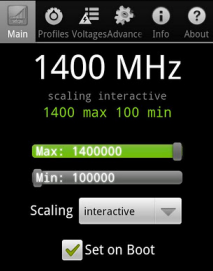
Overclocking your phone too much could cause it to overheat
Important: If you have any doubts after reading this, do not proceed until you can find someone to help you. I cannot help you, nor can I assume any responsibility for bricked phones.
Although rooting is still too technical for many users, the process is getting easier. Unfortunately, you may now need an unlock code from your carrier to legally unlock your phone and you are unlikely to get that unless your contract is up. Rooting your phone for the first time can be scary, but I believe the benefits far exceed the risks. In the six months since I first rooted my phone, my experience has been 100% problem free — with one notable exception. When Verizon released OS updates for my rooted phone, I was unable to install them. Although I was able to find a solution to the problem online, it wasn’t simple, and required me to either restore my phone to stock, or wipe it and manually install the software update. Although major OS updates don’t happen that often, this is something to consider before rooting.
– Rick
Copyright 2013 Rick Schwartz. All rights reserved. Linking to this article is encouraged.
Follow me on Twitter @mostlytech1
January 30, 2012 Leave a comment
Since this article was first written, an updated version has been posted here. Check it out. A lot has changed.

When it comes to overall specs, it's hard to beat Samsung's Galaxy Series
Back in December I created a chart of the top smartphones available at the time. Since then, a lot has happened, so I’ve updated my list. Here are the top five smartphones available today:
|
|
HTC Rezound |
LG Nitro HD |
Motorola Droid RAZR Maxx |
Samsung Galaxy Nexus |
Samsung Galaxy Note |
|
Processor |
1.5 GHz dual-core |
1.5 GHz dual-core |
1.2 GHz dual-core |
1.2 GHz dual-core |
1.5 GHz dual-core |
|
RAM |
1GB |
1GB |
1GB |
1GB |
1GB |
|
Storage |
16GB |
16+4GB |
16+16GB |
32GB |
TBD |
|
Screen size |
4.3” |
4.5” |
4.3” |
4.65” |
5.3” |
|
Resolution |
1280×720 |
1280×720 |
960×540 |
1280×720 |
1280×800 |
|
Pixel density |
342 ppi |
329 ppi |
256 ppi |
316 ppi |
285 ppi |
|
Rear cam |
8MP |
8MP |
8MP |
5MP |
8MP |
|
Front cam |
2MP |
1.3MP |
1.3MP |
1.3MP |
2MP |
|
Network |
LTE |
LTE |
LTE |
LTE |
LTE |
|
5GHz Wi-Fi |
No |
No |
No |
Yes |
Yes |
|
Bluetooth |
3.0 |
3.0 |
4.0 |
3.0 |
3.0 |
|
NFC |
No |
No |
No |
Yes |
Yes |
|
Thickness |
13.65mm |
10.4mm |
8.99mm |
9.47mm |
9.65mm |
|
Weight |
164g |
128g |
145g |
150g |
178g |
|
Battery |
1620 mAh |
1830 mAh |
3300 mAh |
1850 mAh |
2500 mAh |
|
OS |
Android 2.3.4 |
Android 2.3.5 |
Android 2.3.5 |
Android 4.0.2 |
Android 2.3.5 |
|
Carrier |
Verizon |
AT&T |
Verizon |
Verizon |
AT&T |
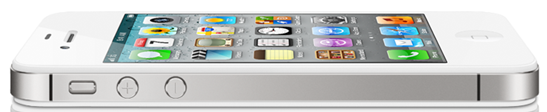
Although iPhone 4 sales are better than ever, it no longer competes when it comes to most specs.
You may have noticed that some phones which were included in my December list, have fallen by the wayside. This includes the iPhone 4S and several other phones which are still good, but no longer compare with the best phones. Each has at least one major flaw.
|
|
Apple iPhone 4S |
HTC Vivid |
Motorola Droid RAZR |
Motorola Droid 4 |
Samsung Galaxy S II Skyrocket |
|
Processor |
800MHz dual-core |
1.2 GHz dual-core |
1.2 GHz dual-core |
1.2 GHz dual-core |
1.5 GHz dual-core |
|
RAM |
512MB |
1GB |
1GB |
1GB |
1GB |
|
Storage |
16GB, 32GB, 64GB |
16GB |
16+16GB |
16GB |
16GB |
|
Screen size |
3.5” |
4.5” |
4.3” |
4.0” |
4.5” |
|
Resolution |
960×640 |
960×540 |
960×540 |
960×540 |
800×480 |
|
Pixel density |
326 ppi |
245 ppi |
256 ppi |
275 ppi |
207 ppi |
|
Rear cam |
8MP |
8MP |
8MP |
8MP |
8MP |
|
Front cam |
0.3MP |
1.3MP |
1.3MP |
1.3MP |
2MP |
|
Network |
HSPA |
LTE/HSPA+ |
LTE |
LTE |
LTE/HSPA+ |
|
5GHz Wi-Fi |
No |
No |
No |
No |
Yes |
|
Bluetooth |
4.0 |
3.0 |
4.0 |
4.0 |
3.0 |
|
NFC |
No |
No |
No |
No |
Yes |
|
Thickness |
9.3mm |
11.2mm |
7.1mm |
12.99mm |
9.40mm |
|
Weight |
140g |
177g |
127g |
179g |
132g |
|
Battery |
1420 mAh |
1620 mAh |
1780 mAh |
1785 mAh |
1850 mAh |
|
OS |
iOS 5.0 |
Android 2.3.5 |
Android 2.3.5 |
Android 2.3.5 |
Android 2.3.4 |
|
Carrier(s) |
AT&T, Verizon, Sprint |
AT&T |
Verizon |
Verizon 2/10 |
AT&T |
Some of you are probably wondering why the iPhone 4S is no longer listed in the chart of best smartphones. The answer is easy: The iPhone 4S hasn’t been competitive for a while. It has an under-clocked processor that runs at almost half the speed of the best Android phones. While it’s true the iPhone does well in some graphics-related benchmarks, the fastest Android phones kill it in side-by-side real world speed tests. If you want to see just how much faster the Droid RAZR is than the iPhone 4S, watch this video.The iPhone also doesn’t have a 720p HD display, and believe it or not, it’s not a real 4G phone. That means its data speeds are 5-10x slower than most 4G LTE phones. If you’re a hard-core Apple fan, you’ll probably buy the iPhone 4S anyway, and that’s O.K — just don’t say you weren’t warned. Two years is a long time to own a non-4G phone.
Several new quad-core phones will be demonstrated in Spain next month. As soon as new phones are released, I’ll update this chart.
If you think I missed a phone that should be considered, please let me know.
– Rick
Copyright 2012 Rick Schwartz. All rights reserved. Linking to this article is encouraged.
January 18, 2012 8 Comments
Last updated: January 5, 2014
This article has had almost 20,000 views. Thanks for reading it.
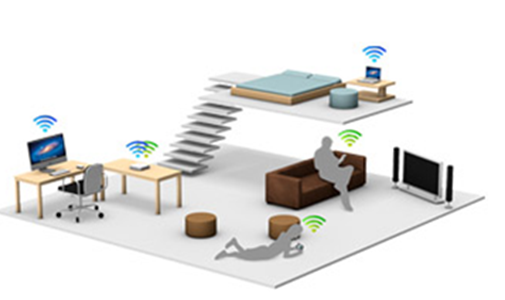
Wireless devices can be found many places in a typical home
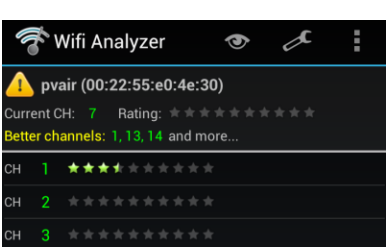
Utilities like this one tell you which wireless channels to use.
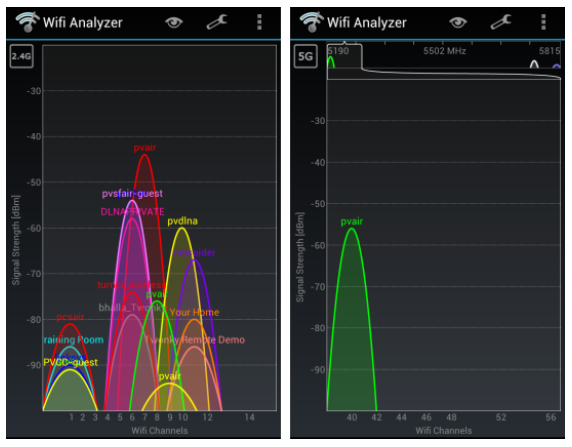
The 2.4GHz band is much more crowded than the 5GHz band
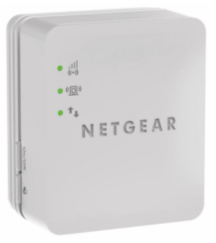
A low-cost Wi-Fi Booster
Another good wireless alternative are MoCA adapters, which transmit multimedia data over coax cable. Both of these are capable of higher data rates and more reliable than most wireless routers.
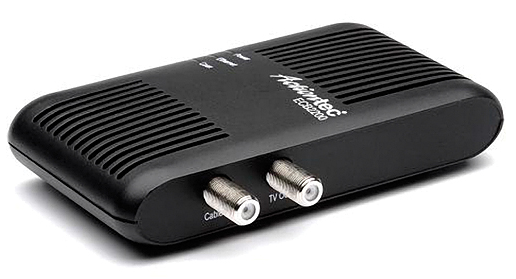
An Ethernet Over Coax MoCA Network Adapter
Do all 802.11g/n products support dual-band?
No. 802.11ac was designed specifically for the 5GHz band, however, so it seems likely all ‘ac’ products will support 5GHz.
Who makes dual-band routers?
Most wireless routers sold over the past few years support dual-band. Examples include: Apple’s Airport Express, all ASUS routers (RT-AC66U, RT-N65U, RT-N66U and EA-N66) the Linksys N600, N750, N900 and AC1750 as well as routers from Netgear.
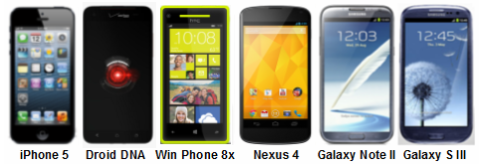
Here are just a few of the smartphones with 5GHz Wi-Fi support
Do you have a list of mobile devices that support 5GHz Wi-Fi?
Here are a few of the devices which support dual-band Wi-Fi. Note: This list is not current. These days most mobile devices support 5GHz.
Where can I go to find out if my devices supports Dual-band Wi-Fi?
Search for your device here. It’s dual-band if there is a “1” under 5.0 GHz transmit and receive.
Is 5GHz Wi-Fi faster than 2.4GHz Wi-Fi?
It you refer to the chart below, you’ll see some routers are capable of higher data rates when using the 5GHz band. More info.
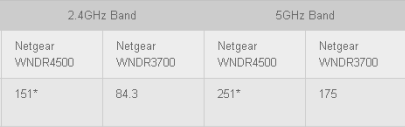
Chart courtesy of Maximum PC
Is there a downside when using 5GHz Wi-Fi?
Yes. Not all devices support 5GHz Wi-Fi. Also, the higher frequency signals of 5GHz networks do not penetrate walls as well as 2.4GHz signals. This limits their reach inside some homes.
How can you force your devices to use 5GHz Wi-Fi?
‘Forget’ the 2.4GHz network and connect to the 5GHz one.
What’s better than 802.11n?
802.11ac is a new wireless-networking standard which is capable of speeds that are almost 3x faster than 802.11n. You can learn here about it here. In addition to higher throughput, 802.11ac has wider coverage and improved power efficiency. Although real-world speeds won’t always exceed 1Gbps, 802.11ac should be capable of speeds of 500Mbps at distances of 50 meters. Apple’s Macs now include support for 802.11ac. All premium routers now include 802.11ac support as well. Asus shipped a laptop with support for 802.11ac over a year ago.
Is anything else being done to improve streaming of multimedia around the house?
Yes, companies like Qualcomm are working on technology called StreamBoost. When combined with 802.11ac, this is supposed to improve performance by managing network traffic. StreamBoost-compatible products let users to see all the devices connected to their network and monitor the real-time bandwidth usage of every device.
What comes after 802.11ac?
According to this blog, “802.11ad improves upon the wireless capabilities introduced in 802.11n. Ideally, 802.11ad will allow devices to communicate over four, 2.16GHz-wide channels, delivering data rates of up to 7 Gigabits per second, even for mobile devices with limited power, a significant improvement over both 11n and 11ac.” More info about 802.11ad.
There are also people who say G.hn is the next big thing in home networking. It uses existing home wiring including coaxial cables, phone lines and power lines. You can learn here about it here.
More about what lies next in networking.
Another good article related to this topic.
If you follow the above guidelines, you should be able to stream high-definition videos without problems. Let me know if I missed any good Wi-Fi tips.
– Rick
Copyright 2013-2014 Rick Schwartz. All rights reserved. Linking to this article is encouraged. Network photo courtesy of Apple.
Follow me on Twitter @mostlytech1
January 3, 2012 1 Comment
This article was just updated! You can view the new version here. It compares iOS 6 to Android 4.1.
Android has come a long way, but iOS is very mature and still has quite a few advantages over Android. Yesterday I listed the things I like better about Android 4.0 OS. Here are the things I miss most from iOS 5.0 and the Apple mobile ecosystem.
These are the things that I miss about iOS. What did I leave out?
This article was just updated! You can view the new version here. It compares iOS 6 to Android 4.1.
– Rick
Copyright 2012 Rick Schwartz. All rights reserved. Linking to this article is encouraged.
Follow me on Twitter @mostlytech1
January 2, 2012 2 Comments
This article was just updated! You can view the new version here. It compares Android 4.1 to iOS 6.
I recently switched from an iPhone to an Android phone and was surprised how easy the transition was. That says a lot about how far Android has come over the past year. While everything is still fresh in my mind, I want to talk about the strengths of each operating system (OS). I’ll start with Android 4.0, and then list the advantages iOS has over Android.
There are so many different ways you can customize an Android phone that it would be almost impossible to list them all here. Here are a few of the ways you can customize your Home screen(s).
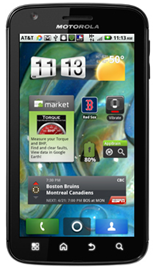
Widgets are one of the ways Android users can customize their mobile devices
All Android devices have navigation services which are far superior to those found on the iPhone. There are two main reason for this:
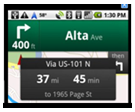
Turn-by-turn directions are another Android advantage
You’ve probably heard most of these advantages before. They’re all still true.
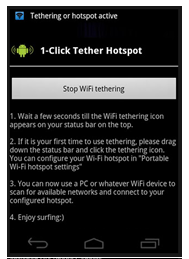
One of the many free Wi-Fi tethering apps in the Android Market
Android 4.0 has other important advantages over iOS 5.1. You probably haven’t heard of these before, but they are very important to me.
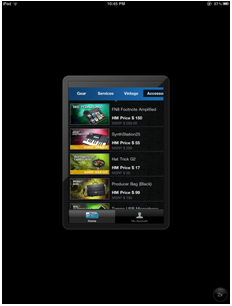
Apple makes some tablet users choose between distorted text or apps which don't occupy the entire screen.
Before anyone gets too excited about any of this, I’d like to say that my comments above are my personal observations. This isn’t intended to be a comprehensive list. I know I’ve left a few important things out like NFC. My comments are based on my observations over six months of usage. I use iOS 5.1 and Android 4.0 every single day and view them as equal in many ways. If it seems like I’m stressing Android’s advantages over iOS, it’s because most people think the iPhone is still far ahead of Android and that is no longer true. Even in the area of mobile UI design, Android 4.0 is now beating iOS in some areas. Case in point: Android 4.0 was just awarded best platform experience by Parsons School of Design. More info.
Tomorrow I’ll try to be equally passionate about iOS’ advantages over Android. Check back and see how I did.
This article was just updated! You can view the new version here. It compares Android 4.1 to iOS 6.
– Rick
Copyright 2012 Rick Schwartz. All rights reserved. Linking to this article is encouraged.
January 1, 2012 5 Comments

I’ve been a hardcore iPhone user for the past several years. Like most iPhone users, I had a hard time imagining ever switching to another phone. I’d seen some early Android phones and their user interface didn’t look nearly as polished as iOS. I also thought the transition would be too hard and I might regret making the switch. I knew my iPhone so well I could practically operate it blindfolded.
I had planned to buy an iPhone 5 the first day it was available. However, once the iPhone 4S was announced, and it became clear an iPhone 5 was not going to be released in 2011, I started having second thoughts. My old iPhone had slowed down to the point it was sometimes frustrating to use. I’m not sure if this was a result of iOS, or the fact I was on the AT&T network, which is horrible where I live. While I was researching this problem, I learned about the differences between 4G LTE and the 4G imposters like HSPA+. 4G LTE phones are 5 to 12 times faster than other phones. Two things were clear to me:
More about the confusion around 4G data speeds can be found here.
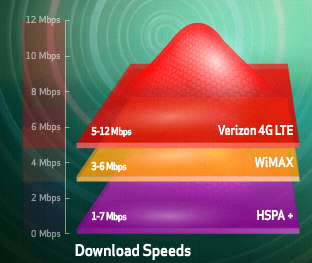
Verizon's LTE speed comparison
These two requirements made my decision easier. The iPhone 4S had disappointing specs (compared to the newest Android phones) and it did not support LTE. There was no way I was going to sign another two-year contract on a non-LTE phone.
So, I started looking into Android phones. I’d heard about the Samsung Galaxy Nexus and read several reviews which said it was the best Android phone ever. Some of the reviews said Android 4.0 was more intuitive than earlier versions, and even had the nerve to compare it to iOS. So I took a big leap of faith and bought a Samsung Galaxy Nexus the first day they became available. I wasn’t too worried, because I had two weeks to return the phone if I didn’t like it.
More about the differences between iPhone 4S and the Galaxy Nexus can be found here.
I immediately started using my new Galaxy Nexus and was surprised the transition wasn’t as difficult as I thought it would be. Once I installed a few of my favorite apps, I was on my way. I did encounter a few hurdles along the way, so I made a list of suggestions for a trouble free transition from iOS to Android.
Once you get through these steps, you’ll be on your way to being a happy Android user.

iOS Home button

Android's Home button

Android's Recent Apps button

Android's Back button

Android's Menu button

Android's App Drawer
Sure. I didn’t buy an iPhone because all of my friends had one. In fact, when I bought my first iPhone, it wasn’t that popular. I bought it because it was the best mobile device available at the time. That’s the same reason I recently bought a Samsung Galaxy. I want the fastest and best phone on the planet. I don’t care who makes it.
In another blog post, I compare Android 4.1 with iOS 6, and let you know which things I like best about each. You won’t want to miss those posts.
– Rick
Since this article was first written, the iPhone 5 has come out and I’ve switched to a Samsung Galaxy S III. Gizmodo ran a really good article which also talks about making the switch from Android to iOS. I must not be the only person switching, because there are now four times more Android phones than Apple phones. Even with the iPhone 5, it’s going to be impossible for Apple to ever catch up.
Copyright 2012 Rick Schwartz. All rights reserved. Linking to this article is encouraged.
Follow me on Twitter @mostlytech1
 Mostly-Tech